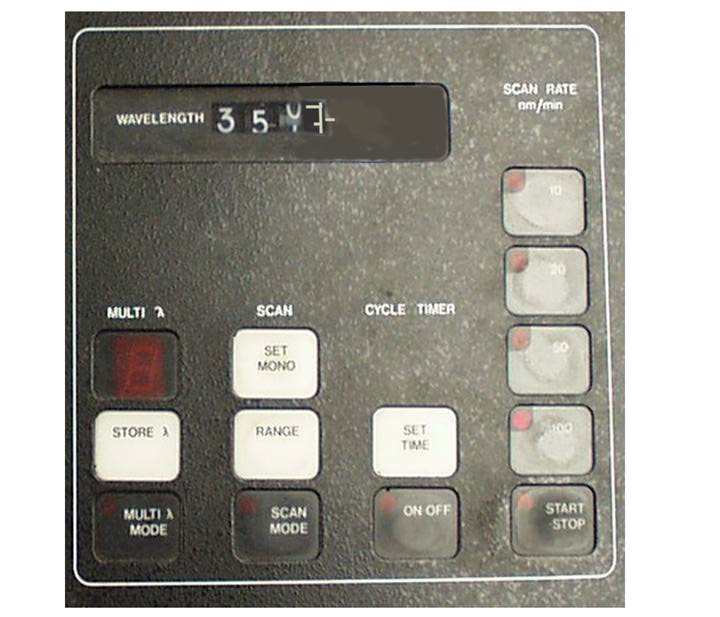
Display of the current wavelength as well as several mode selections are available as part of the scan control module. To use the scan mode, one needs to set the top (maximum) wavelength by pressing the wavelength on the number pad then pressing SET MONO, then entering the range over which you are going to scan, then press the RANGE key. In the Multi Wavelength Mode, one selects up to 8 different wavelengths and stores each by pressing the STORE key. The scan rate can be set from 10-100 nm/min by pressing the appropriate key. The START/STOP key does as it suggests, starts a scan (or multiwavelength run) and stops the scan. When connected to an X-Y recorder, the presentation of the spectra can be modified by selecting the output range desired.
Michael R. Ross
Chemistry Department, College of St. Benedict/St. John's University
St. Joseph, MN 56374
320-363-5482
Comments to author: mross@csbsju.edu
Revised: 1/1/98
URL: http://www.users.csbsju.edu/~mross/ch336/dms90ScanCntrl.html
 Return to DMS90
 Return to Chem 336